P106-100 graphics card
I received my used P160-100 6GB mining graphics card yesterday, which I bought online.
Using the drivers provided by the seller, the card works fine. So far, I’ve only tested AI application deployment; I haven’t tested gaming on Windows yet.
By the way, my system is Windows because many of my software programs are WinGUI software, which is convenient to use and also retains gaming functionality.
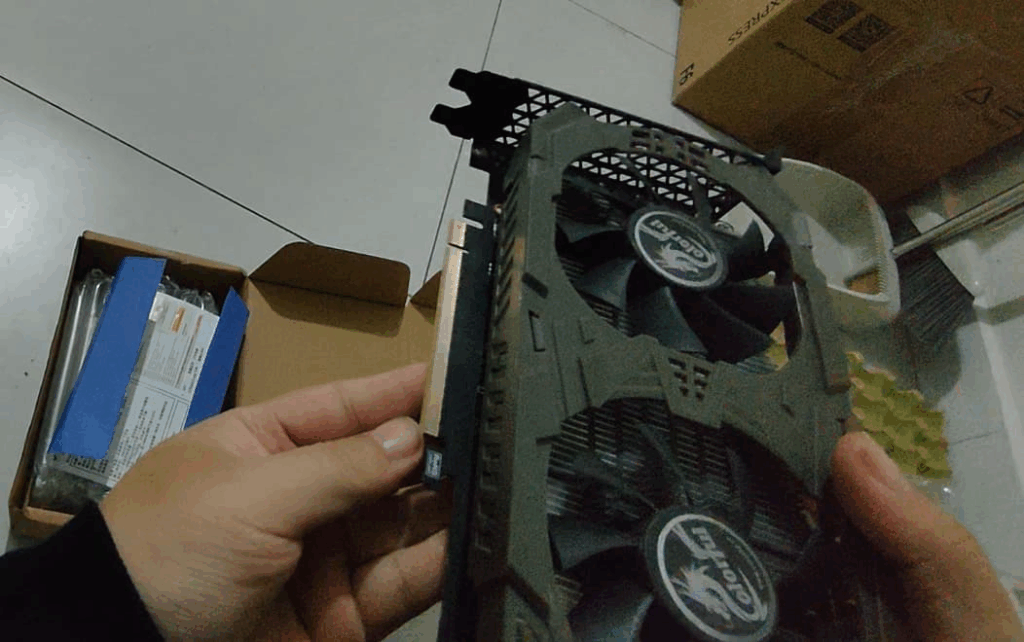
This graphics card is mainly used to assist with YouTube video editing.
One is translation and subtitle processing (which wasn’t a big problem to begin with), primarily involving audio cloning.
Another is lip-syncing because the lip movements don’t match the audio after translation, so the video needs to match the audio’s lip movements.
Another is YouTube cover design. Previously, I used Chatgpt, but it has a free quota and usage restrictions, and it always seems to play tricks on users, deliberately not following your requirements. The paid version is the same, although the image quality is decent, and it’s much simpler than designing it myself.
I’ll talk about the graphics card arriving last night and the results of testing the AI today.
The project I chose is pyvideotrans
https://github.com/jianchang512/pyvideotrans
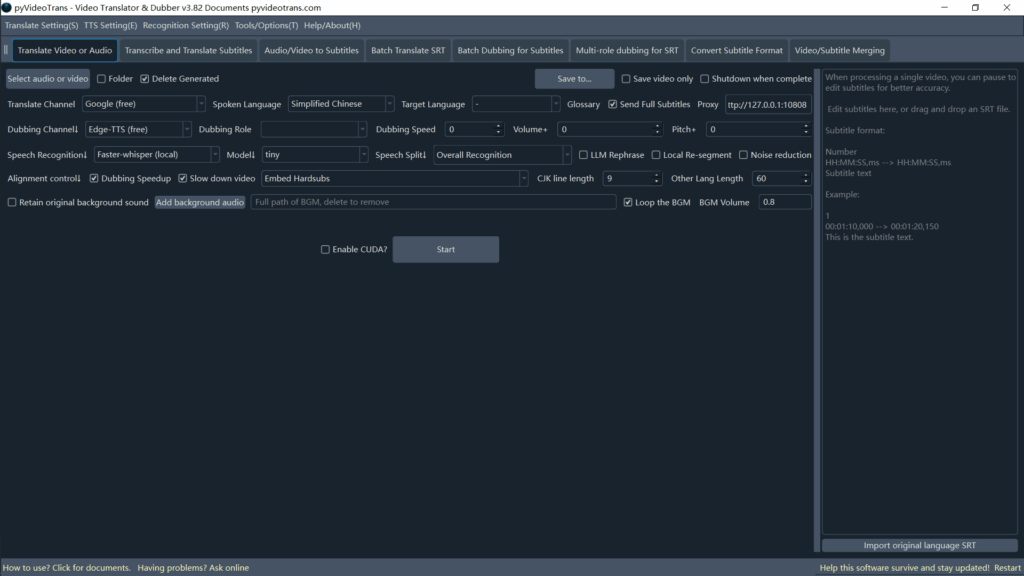
Because it’s aggregated software, other large local AI models also need to be deployed separately.
For speech recognition, I chose Faster-Whisper Large-V3.
For translation, I chose Ollama (qwen3:8b).
For dubbing, I chose Clone-Voice.
Therefore, to generate a video in another language with a voice clone, I deployed four large AI models.

For lip-syncing, I also chose the open-source project aigcpanel:
Model 1: MuseTalk
Model 2: LatentSync
Model 3: Wav2Lip
With my computer’s performance, MuseTalk and LatentSync took an hour with little progress. Wav2Lip took 16 minutes to process a 30-second video, but the effect was almost nonexistent and unsatisfactory.
Therefore, due to my graphics card’s performance, I’ve temporarily abandoned lip-syncing and will wait until I have a better graphics card later.
LatentSync 1.5 was tested in an internet cafe with a 4090; a 30-second video took 10 minutes to process.
Then, for YouTube images:
Using the AI’s prompts and YouTube Lora didn’t work.
The resulting images not only lacked text, but the image content was also almost entirely unusable.
Currently, there’s no good solution, so I’ll leave it for now.
Second-hand platforms
This platform allows users to buy and sell secondhand goods as well as post technical services.
I uploaded technical services to the platform, primarily Raspberry Pi.
I’ve been using Raspberry Pi for about ten years now, and I plan to use it for automation and other projects or studios in the future.
Here’s a brief overview of Raspberry Pi technical support:
Raspberry Pi system installation, Raspberry Pi troubleshooting, Raspberry Pi remote SSH, VNC setup
Raspberry Pi gateway, FRP, VPN
Raspberry Pi projects: smart home, facial recognition, voice recognition, deep learning, edge computing, smart cars, drones, etc.
Raspberry Pi usage: NAS, software router, PVE, local server, game server, document server, etc.
All Raspberry Pi-related services are supported.
Tips
There are over 1000 Raspberry Pi projects.
Currently, I haven’t decided which project or application to focus on.
This blog is deployed on an Orange Pi 3B as a local server + frp.
It can be migrated to a Raspberry Pi later (although the Orange Pi is essentially the same as the Raspberry Pi).
Unless it’s a Raspberry Pi-specific project, development boards like the Orange Pi are essentially Raspberry Pi replacements with little difference.