Turn off Umami
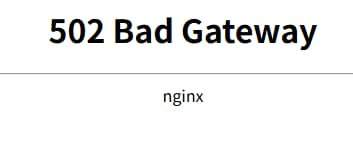
I found that my nav and ytkit websites were inaccessible, but other websites were working fine.
Checking the Chrome console, I discovered that the Umami analytics script was blocking the website loading. Umami wasn’t showing any errors, but it also wasn’t responding.
I also noticed that the CPU on my Orange Pi 3B development board, where Umami was deployed, was maxed out and overloaded.
After shutting down the Umami instance deployed via docker-compose, the CPU usage returned to normal, and the websites loaded correctly.
Ultimately, it boils down to insufficient performance. I recommend using an x86 server for Umami, and secondly, since Umami is built on Next.js, and there was a recent incident where a React library used by Next.js was compromised with malware, I’ve decided to temporarily stop using Umami.
Write code
Some of the code I wrote was useful, but some of it took a lot of time but ended up not being used, which I feel is a waste of time.
Today I discovered that I have two routers and two network segments at home, and when testing my code, the websites require HTTPS for service verification. This requires various internal network tunneling solutions every time, which is quite messy.
Currently, I plan to use my idle Raspberry Pi CM0 and Raspberry Pi Zero W as an API gateway and a message gateway respectively. Both will run the same services and have the same Raspberry Pi server system installed.
I will set up ntfy notifications and FRP domain/port forwarding on both.
This will solve the problem of the idle Raspberry Pis and also address the strange issues related to local debugging of SSL certificates.
Today’s earnings
YouTube YPP (YouTube Partner Program) total earnings: $1.12